For this mid-term project, I learned the basics of HTML/CSS and fully hand-coded and published a portfolio website of my travel photography. Below I've described some of the initial planning that went into making the final website, including early mockups, a user flow, code snippets, and my takeaways from completing this project.
HTML/CSS, Figma, user flows, mockups
The final website can be viewed here.
During the initial design planning, I outlined basic information needed to start coding such as the hex codes for the site’s theme colors and the HTML tags for certain features within the site.
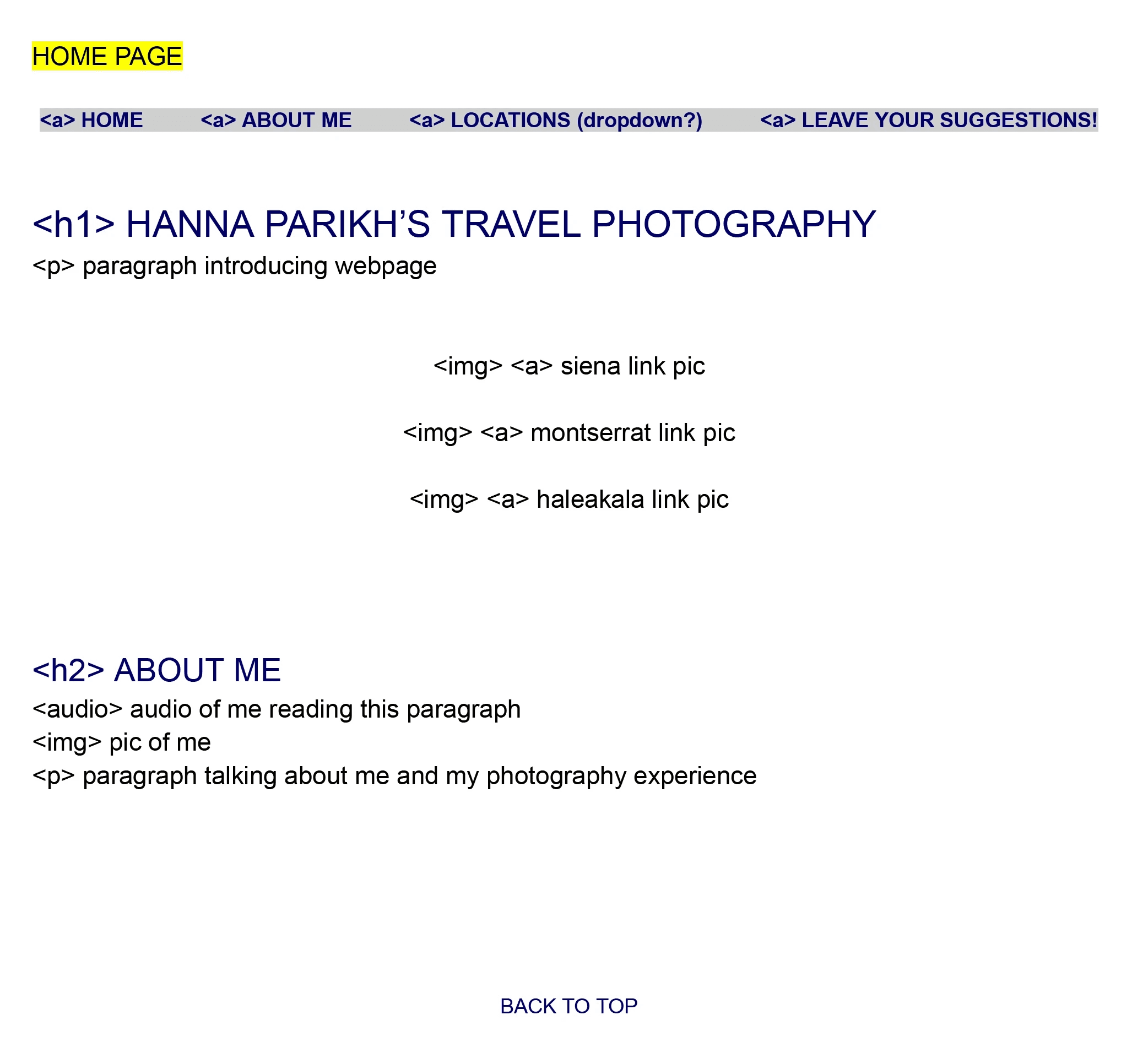
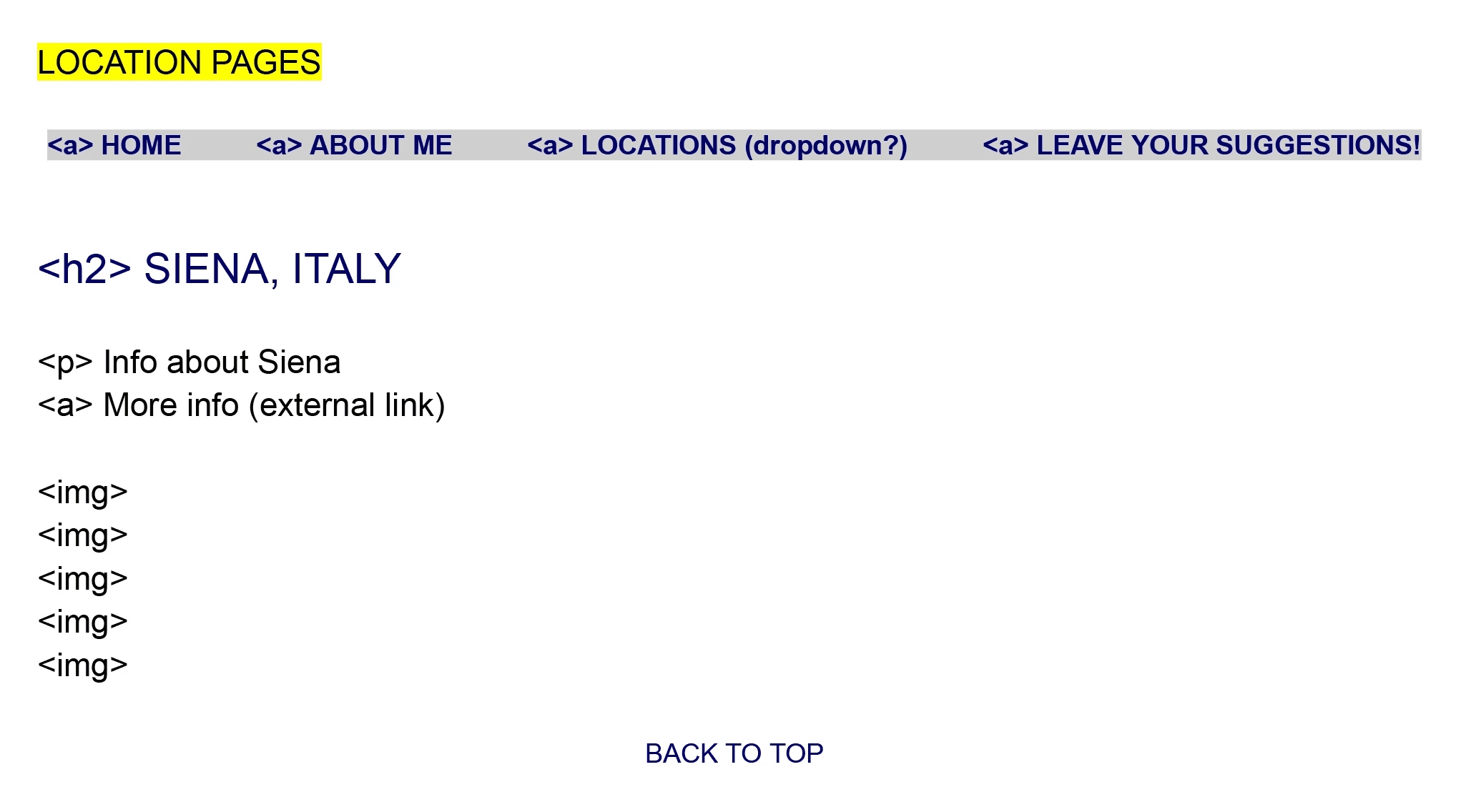
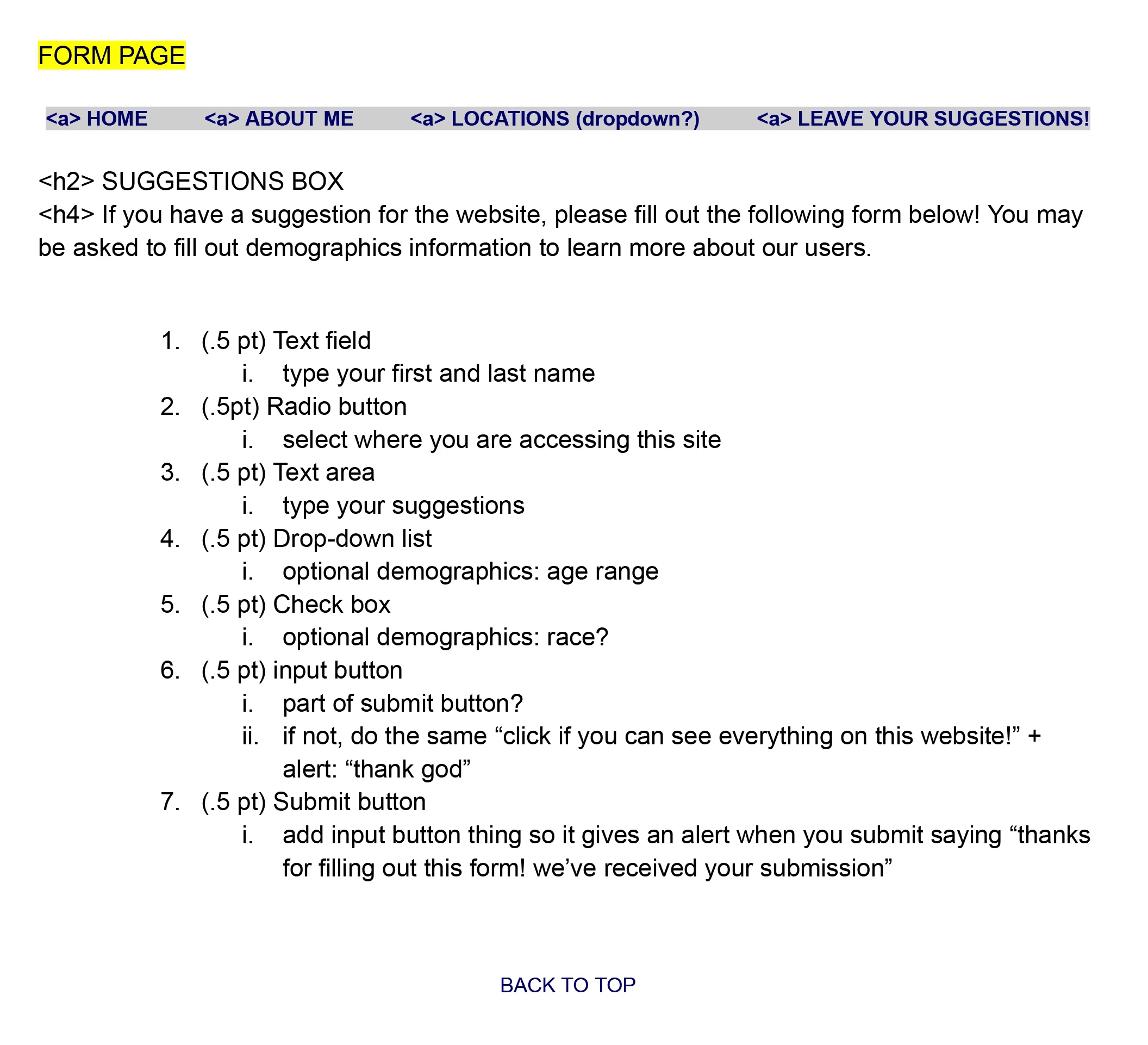
With all of this information outlined, I created a low-fidelity mockup of what I wanted each page of the site to roughly look like, incorporating each of the features I intended to code. This gave me a simple visualization of my website.
USER FLOW
After deciding the pages and features I wanted to have in my website, I created a user flow to better understand how someone would navigate between pages on the site. I created this through FigJam in Figma.
Before beginning to write the code, I created a high-fidelity mockup of the website in Figma. This non-interactive mockup was essentially what I aimed to replicate in my final website. Below is the design file of this mockup, or you can click here to view it.
CODE SNIPPETS
Below are a few snippets of my HTML and CSS code for this website.
FINAL WEBSITE
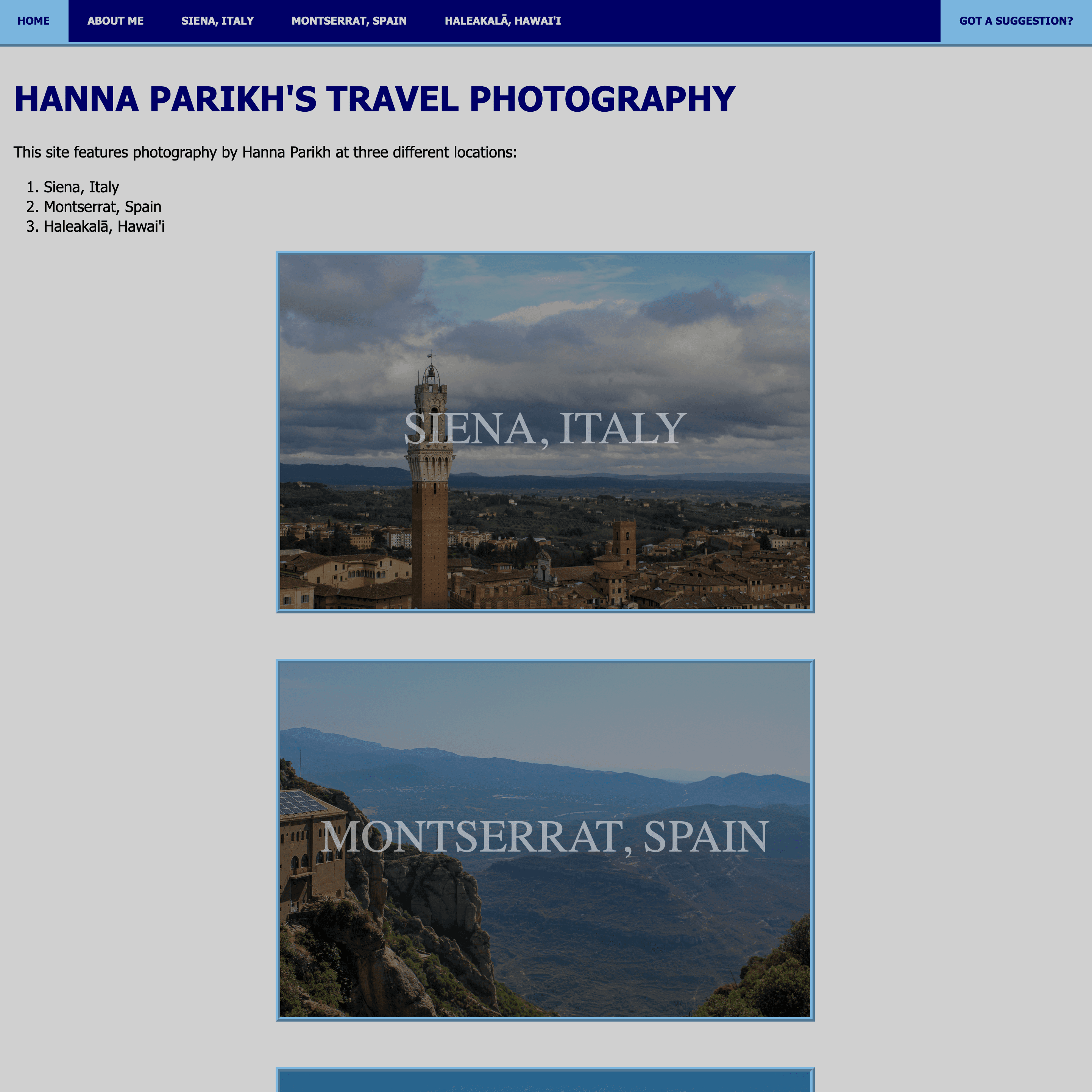
Here is a link to the final website. Below is an image of the beginning of the home page.
TAKEAWAYS
I learned HTML/CSS through coding this website. I noticed that by incrementally coding features of the website, I was able to put together the final product seamlessly. Writing the bare bones HTML code of the website made it easier to then add onto that code and the CSS until it matched my vision. This demonstrated the value of working bottom-to-top when coding designs, as the simplified, fundamental code is more manageable and easy to edit before turning it into the final product. In fact, because this final code is still fairly basic, this website could serve as a prototype for a more enhanced version in the future.
The process I followed before coding was also key in creating the final product. Writing the task flow and designing mockups helped to visualize the website and its functionality, so I could use that as a guide when coding. This made the final website look less like a bundle of disjointed features and more like a cohesive, usable photography portfolio website. Starting with a big picture idea, then breaking down those ideas into smaller, workable parts that can be tangibly created helped to form the larger product while maintaining the direction of that original bigger idea.
Framer 2023
Amsterdam